
Run the whole night
from one app.
Everything a service night needs — the menu, the orders, the floor, the kitchen — runs in one place, on the phones your team already carries. You cover the same room with fewer waiters, and the night counts itself while they work.
Go live tonight
No hardware to buy
iPhone or Android, whatever your team carries
Same account, same screens, on the phone or tablet each of them already owns. Your guests just scan.
App Store

0
devices to buy
0
setup fee, and no contract to sign
0
%
commission on what guests spend
What you get back
0
%
fewer waiters on the floor
0
%
fewer trips to each table
0
%
cheaper for five locations
What you have by the end of the day
You give it your menu. It takes the orders from there.
A menu you designed
Fourteen templates, then your colours, your fonts, your photos. It lives at your own web address and carries your name.
Prices you change in seconds
Raise one at 11am and the table sees it at 11am. On paper the same change costs a printing bill, a box of menus you throw away and a week of stickers.
Orders that write themselves
The guest types it, the kitchen reads it. Every side, every note, every allergen, in the words the guest chose.
A waiter can always write it for them
The guest sends it from the table, or a waiter writes it on the panel or their own phone. Both land on the same board, in the same column, counted the same way at close.
A kitchen screen tonight
Open it in a browser on the tablet or TV already in the building. One tap moves a ticket along.
Tonight’s bookings, on the same screen
Take a booking on any table, full or empty. It shows up half an hour before they arrive, and a table you are holding is still a table you can use.
Your team, each with their own way in
Managers get the floor and the numbers, waiters get the board. Hire somebody into one location and that is the room they see.
Who took it, and who was quick
Every order carries the waiter who sent it and the manager who accepted it. By Sunday you can see whose tables spend, who keeps people waiting and who worked the hard hours — everyone measured the same way.
The room in your pocket
Open tables, unpaid checks and tonight’s total, from the kitchen, the office or your own home.
Every location on one login
One menu across all of them, each with its own prices, hours and takings. Switch rooms in the corner of the panel, or read two side by side.
One flat price
The same number on a quiet Tuesday and a full Saturday. Monthly or yearly, and you know it before you start.
A year costs about five waiter shifts
Six hours of one waiter on the floor is about $90. The whole year of Service is $479.88.
You set it up yourself
Runs on your phone, tablet or desktop
Month to month or yearly
Leave whenever you like
Your guest gives you the order, and nothing else
No account, no email, no phone number — so they order in seconds instead of giving up.
Open at lunch, live by dinner
No sales call, no onboarding session, no waiting for a technician. You set it up the same way you would write a menu — because that is mostly what it is.
Hand us the menu
Type it in, or drop in the PDF you already print and let it read itself. Photos, allergens and dietary tags if you keep them.
Make it look like you
Fourteen templates, your colours, your fonts, your photos. It lives at your own web address and carries your name.
Put a code on each table
Print them from the panel and put them out. The next guest who sits down can order, and the kitchen sees it.
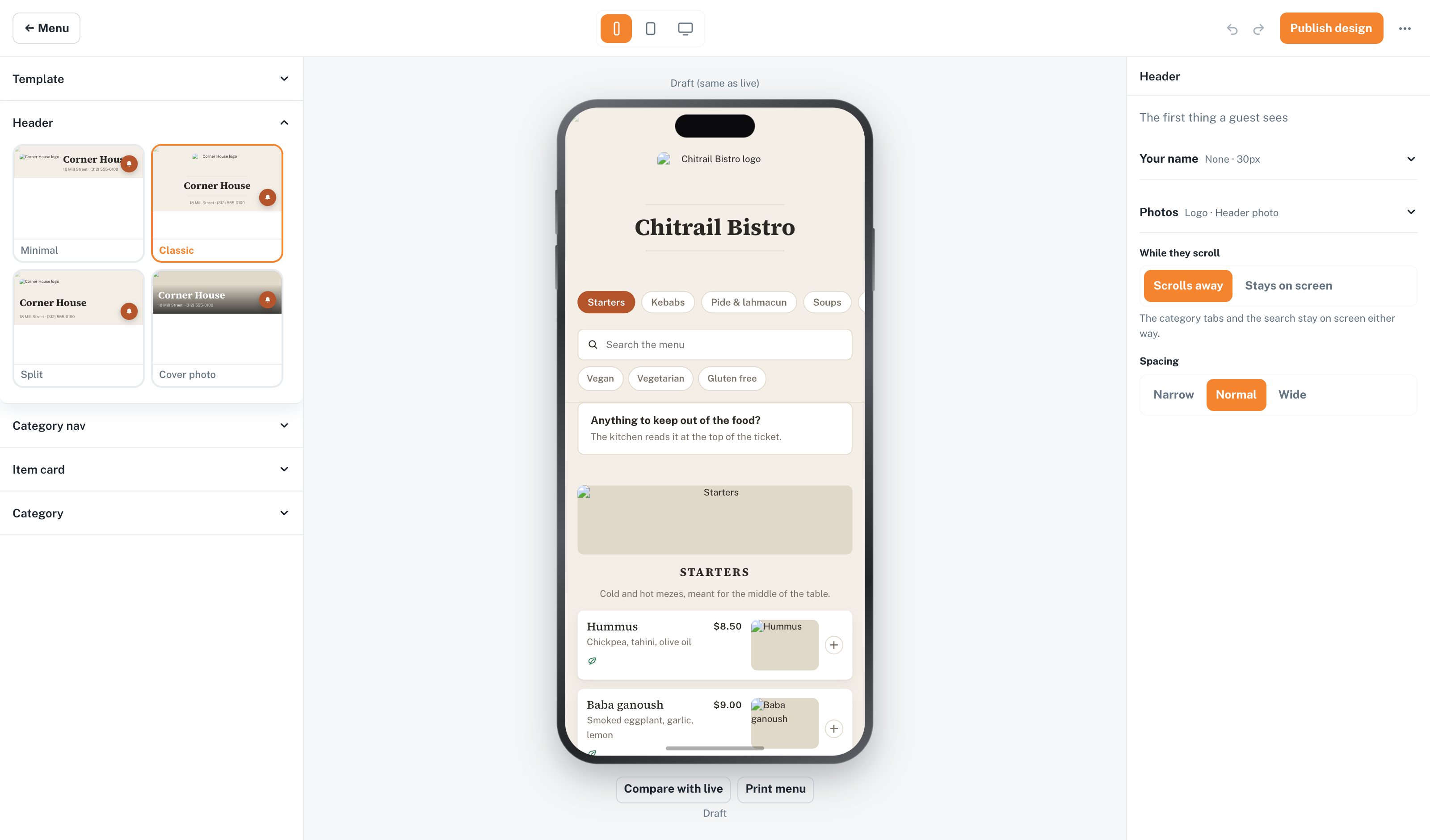
Make it look like your place
A menu is part of how a room feels, so you get a real design tool: templates, colours, fonts, spacing, the shape of every card. Your name is the only one a guest sees.
Fourteen templates, then your colours, fonts, spacing and card shapes
Your own address: yourname.chitrail.com
Change a price at 11am and the table sees it at 11am
Mark something sold out and nobody can order it
The kitchen has the order before the guest puts the phone down
The order lands the second a guest sends it
Your busiest hour is when that head start is worth the most. The team is already plating while the table is still talking.
It says what the guest typed
The side they picked, the note they left, the allergen they flagged — in their own words, on the screen.
Readable across a hot kitchen
Every ticket carries its status in colour and in words, so it still reads right on a cheap panel three metres away.
One tap moves it along
New, preparing, served. Big buttons, made for wet hands, with nothing small to hunt for.
Table 4
2 min
New
Table 11
4 min
New
Table 7
9 min
Preparing
Table 2
21 min
Served
Table 9
26 min
Served
Your waiters still work the room
They write orders from their own phone, so they stop walking to the till and cover more tables.
A new waiter is working in five minutes
Your staff already know how to use the phone in their pocket. That is the training.
They scan a square and start
You print a code, they point a camera at it and tap once. No email address to give you, no password to forget, no account to set up. The phone stays signed in.
On the phone they already carry
Nothing to hand out at the start of a shift, nothing to charge overnight, nothing to replace when one goes in the sink. It is theirs, and they have used it every day for years.
One screen, one job
The board shows orders. The floor shows tables. A waiter taps an order to the next stage with one big button, the same way every time — there is nothing buried three taps down.
They see the floor, and that is all
Orders, tables and tonight’s bookings. The takings, the menu and the card stay with you, so nobody lands on a screen they have no business on and nobody can break anything.
And at the register, nothing changes at all. Whatever your team already does to take money, they keep doing.
Run it from wherever you happen to be standing
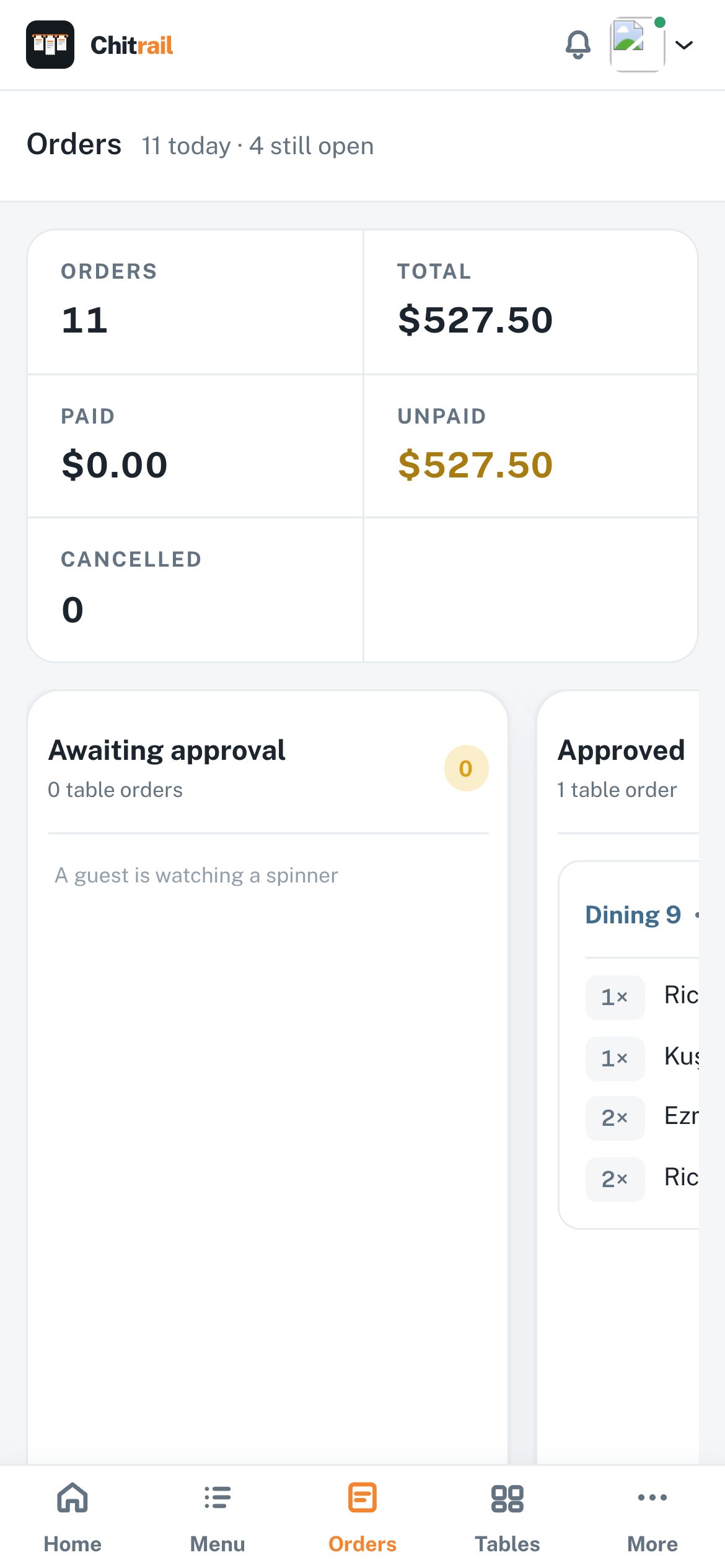
The whole thing opens in a browser. The laptop in the office, the tablet on the pass, the phone in your apron — one account, the same screens, nothing to install on any of them.
A browser is all it takes
Chrome, Safari, whatever came with the tablet. Open the address, sign in once and it stays signed in. Nothing to update, nothing to reinstall when a device is replaced.
The narrow screens are built, not squeezed
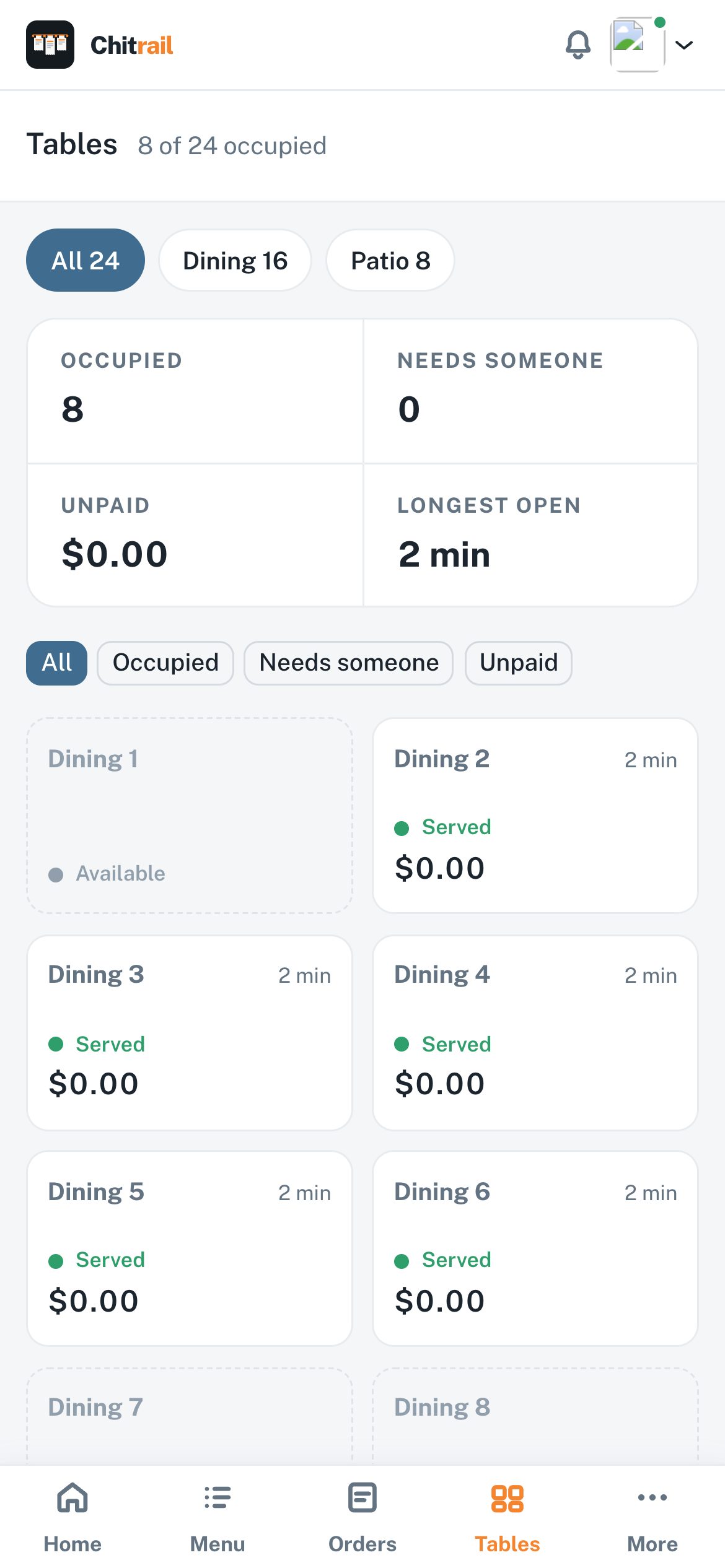
Orders stack into a column you can thumb through, tables become a grid you can tap, and the tab bar sits where your hand already is.
Whatever you open, it is the same night
Accept an order on your phone and the tablet on the pass has it. Close a table at the till and the phone in the kitchen knows. No syncing, no refreshing, no version that is behind.
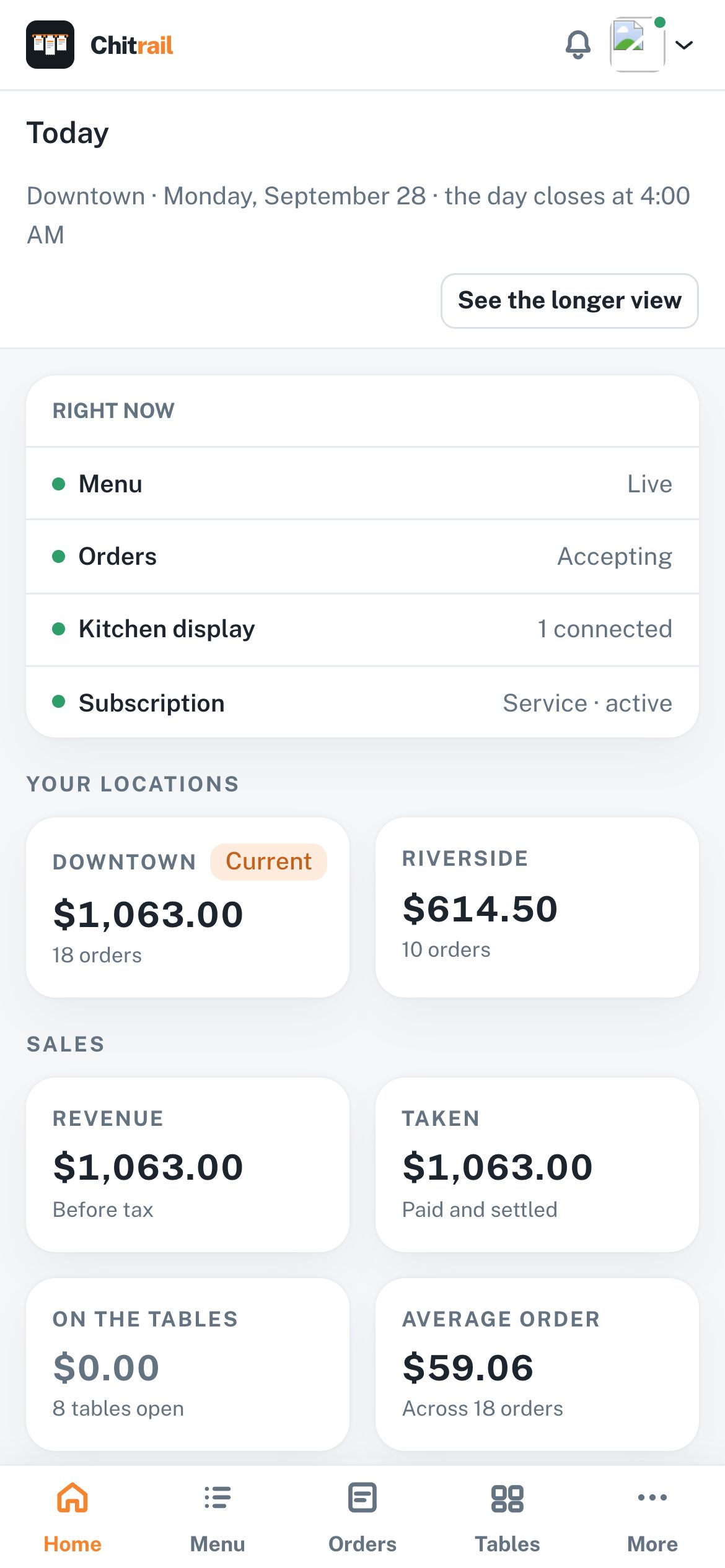
At close, the night explains itself
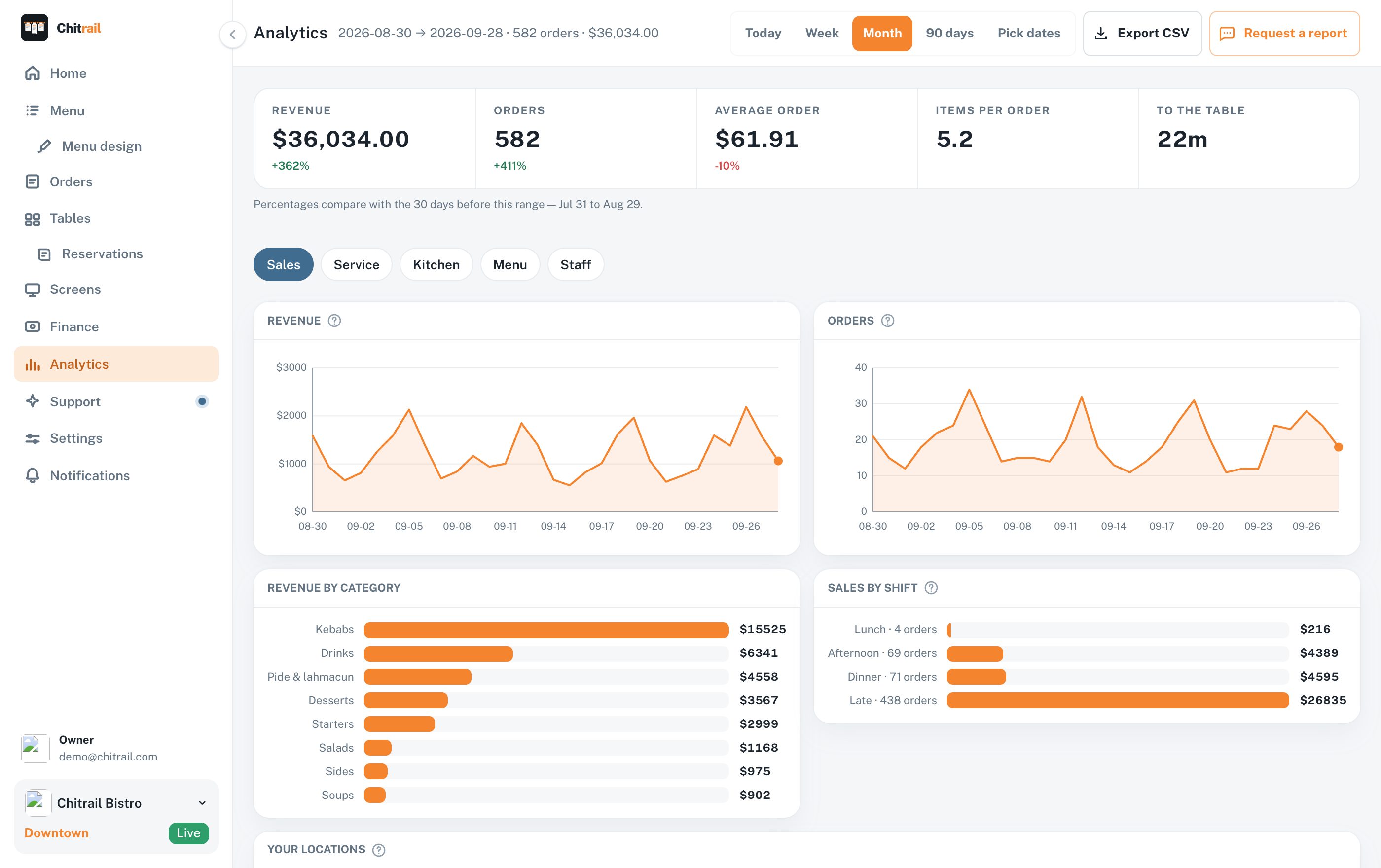
Every order is counted the moment it lands, so the numbers are waiting for you when the last table leaves. Tonight, last week, or any two dates you pick.
Revenue and orders per day, counted apart, over any range
A day-by-hour grid of when orders really come in, so you staff the hours that are busy
Every dish ranked by what it sold and what it made — and the ones that just sit there
Busiest tables: what each seat in the room brought in, and how many orders it took
Each waiter’s night: orders taken, what those tables spent, how long people waited
The whole range as a CSV, ready for your accountant
Tell us what your place needs, and we build it
No two kitchens run the same way, so you should not have to work the way the software works. Write down what you need, in your own words, and it goes into the product — at the price you already pay.
Ask for it, and we build it
There is a screen in the panel for exactly this. Small things go out in days, bigger ones take a few weeks, and yours stays on that screen with where it got to. Nobody quotes you for it.
A new version most weeks
Open the panel on Monday and last week’s work is already in it. Everyone gets the same build, on every plan — what one kitchen asked for, twenty end up using.
You write to the people who built it
No ticket number, no call center, no robot asking you to rate the answer. The person writing back wrote the screen you are asking about, and stays with you for the whole conversation.
What you pay here, and what the same night costs elsewhere
We do not sell you tablets, we take nothing out of what your guests spend, and there is nobody to pay for setting it up. That is most of the difference.
 Chitrail | Most other systems | |
|---|---|---|
| One place, a month | $39.99 | $50 to $150 |
| Five places, a month | $79.95 | $330 and up |
| Tablets and printers | The ones you already own | Theirs, bought or rented |
| Setting it up | An afternoon, on your own | A booked call, often a fee |
| A cut of what guests spend | None | A percentage of card payments |
| The day you want to leave | Cancel in two clicks and take your numbers with you | Their terminals go back, and your card processing moves with them |
| Something it does not do yet | Ask, and it goes in | Wait, or pay to have it built |
Every address after the first is $9.99 a month.
The top plan here, everything included, is the cheapest line on this table. The rest of it is why.
Prices as of September 2026.Is this the right fit for your place?
Two ways to run the same night, and what each one asks of you.
Chitrail is built for you if
You already have a register and a card terminal that work
You want guests ordering from the table tonight
Your waiters should be able to write an order from their own phone too
Your guests order from their own phone, with nothing to install and no account to make
Your guests can order without handing over a name, a phone number or an email
You run one place, or a handful of them
You want one price, with nobody coming back for hardware or setup
A full POS is for you if
You are happy for every card payment to run through them, with a cut of each sale going the same way
You have somebody who will enter every recipe gram by gram, and keep it right all year
You want payroll and the rota on the same bill, at whatever they charge to add them
You are ready to ask every guest for a phone number and an email address, so the marketing side has something to send to
You are ready to buy their terminals, book the call that sets them up and sign for the term
Anything short of that, tell us. A good deal of what is in the panel today began as somebody writing in.
Everything you need in one app, for all your locations
One price covers the menu, the orders and the kitchen, on the phones and tablets you already own, and every address after the first is $9.99 a month.
How many locations do you run?
Menu
Your menu, at your own address.
$9.99
/mo
Your menu at yourname.chitrail.com
QR codes for every table
Change prices and mark items sold out instantly
Photos, allergens, dietary tags
Pick your look from our templates
Email support, answered within a business day by the people who built it
Ask for a feature and we build it — new versions most weeks, at the same price
Table ordering, the kitchen, the floor, the numbers and more than one location come with Service
Service
Take the orders, run the floor, count the night.
$39.99
/mo
Set up for 1 location
Everything in Menu
Guests order from their table, with notes and allergens
Kitchen display on any tablet or TV
Call-waiter and check requests, each with a clock on it
The floor: who is sitting, what they owe, move a party, print the check
Bookings on the same floor plan, with no second subscription
Your team by name: what each one took, what it made, how long people waited
Revenue, busy hours, best sellers and busiest tables — with a CSV of the lot
More than one location: one menu across all of them, each with its own prices, hours and takings
Managers and staff sign in with what they need and nothing else
The whole panel on your phone, from the kitchen or the sofa
Priority support, answered the same day by the people who built it
Send us your menu and we will type it in for you
Ask for a feature and we build it — new versions most weeks, at the same price
Custom
Running a group, or want it built around how you work?
Let’s talk
Everything in Service
A group of locations on one bill, priced as one
Tell us what your floor needs and we build it into the panel
Your menu, your tables and your staff set up before you open
One person who knows your setup by name, on your phone
Priced once we know what you need
Plans renew on their own, monthly or yearly, at the price you signed up for. Cancel any time in the panel; your menu stays up to the end of the period you have paid for.
What owners ask first
Do I have to type the whole menu in by hand?
Only if you want to. Upload the PDF you already print and let it read itself, or send it to us on the Service plan and we type it in for you.
Do I have to buy new hardware?
No. Guests use their own phones. The kitchen display opens in a browser on any tablet or TV you already have.
Do guests have to pay through the app?
No. Guests order from the table and pay you the way they always have. The order reaches the kitchen with the table number on it, and the money stays at your register.
What stops a prank order, or someone ordering from home?
An order carries the code of the table it came from. You can hold every order for staff approval, cap how many one table sends a minute, and take orders only inside your opening hours.
Why is this so much cheaper than the others?
Because we sell you one thing. Most systems for this cost $50 to $150 a month for one place, and the money is in what comes with them: their tablets, their card reader taking a cut of every payment, a person to come and set it up. We sell none of that. You use the tablets you own, your register keeps the money, and you set it up yourself in an afternoon.
Does this only work for restaurants?
No. Anywhere with a menu works the same way. Cafes and bars run the screens a full kitchen runs; a bakery or a truck usually takes the Menu plan with one code at the counter.
Your menu can go live tonight
Build the whole thing for free — every dish, every price, the design. You pay at the moment you decide to put it in front of a guest.