One table, from the code to the close
A whole service, in the order it happens. Nothing here is planned for later — open the demo beside this page and run it yourself.
A guest sits down and scans
The code on table 12 opens your menu in the phone camera. No app to install, no account to make, no wifi password to ask for.
They read the menu you built
Your photos, your prices, your allergen marks, in your own look. Search and category tabs, and anything you marked sold out is already gone.
They send an order
Two mains, three drinks, and “no onions” typed on the burger. The table number rides along with it — the guest never types one.
The floor and the kitchen get it at the same time
It appears in the first column of the order board and on the kitchen screen, with the note and the allergen mark in the words the guest chose.
Somebody accepts it
One tap. The clock on the card starts, and it goes red past the limit you set yourself.
The kitchen moves it along
Preparing, then served — one big button each time. The guest’s phone follows the same steps, so nobody has to come and ask how long.
The same table orders again
Ten minutes later, two more beers. They join table 12 as a second round instead of opening a second check.
They want a person
One tap calls a waiter, and it lands at the top of the same board with a clock running on it.
They ask for the check
The table shows what it owes and how long the party has been sitting. Split it if everyone is paying for what they ate.
You take the money the way you always have
Your own card terminal, your own register, your own cash drawer. None of the payment comes through us — so there is no cut taken, and your staff learn nothing new to ring up a check.
Staff mark it paid and close the table
Table 12 is empty again and ready for the next party, and the takings are already counted.
At close, the day counts itself
What sold, which hour was busiest, what each table brought in, what each waiter took and how long their guests waited. Any dates you pick, and the whole thing as a spreadsheet.
A waiter writes the same order
Not every guest wants to scan, and not every table should have to. Your staff take an order on the panel or on their own phone — same menu, same board, same kitchen screen. The kitchen cannot tell which of the two sent it, and the night’s numbers count them together.
The fourteen screens it runs on
Real screenshots, with a real menu in them. The ones you live in every night, and the ones you set once and forget.
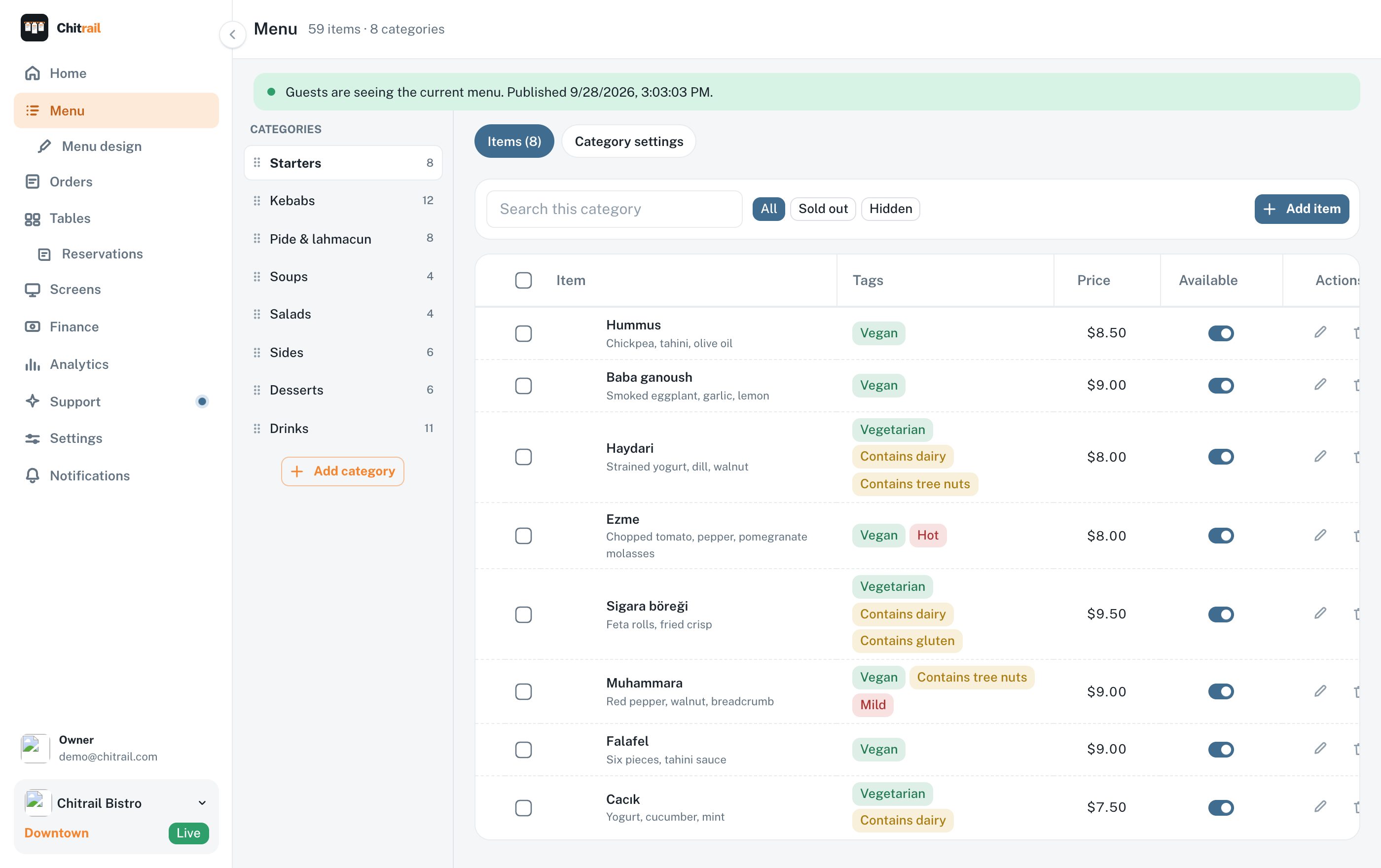
Your whole menu in one list you can edit
Categories on the left, dishes on the right. Drag to reorder, type to rename, and every change is saved as a draft until you publish it.
Sizes and portions carry their own prices
Photos, descriptions, allergens and dietary tags per dish
Mark a dish sold out and guests stop being able to order it
Breakfast carries its own hours and clears itself off the page at eleven
A price change reaches the table without a trip to the print shop
Upload the PDF you already print and let it read itself
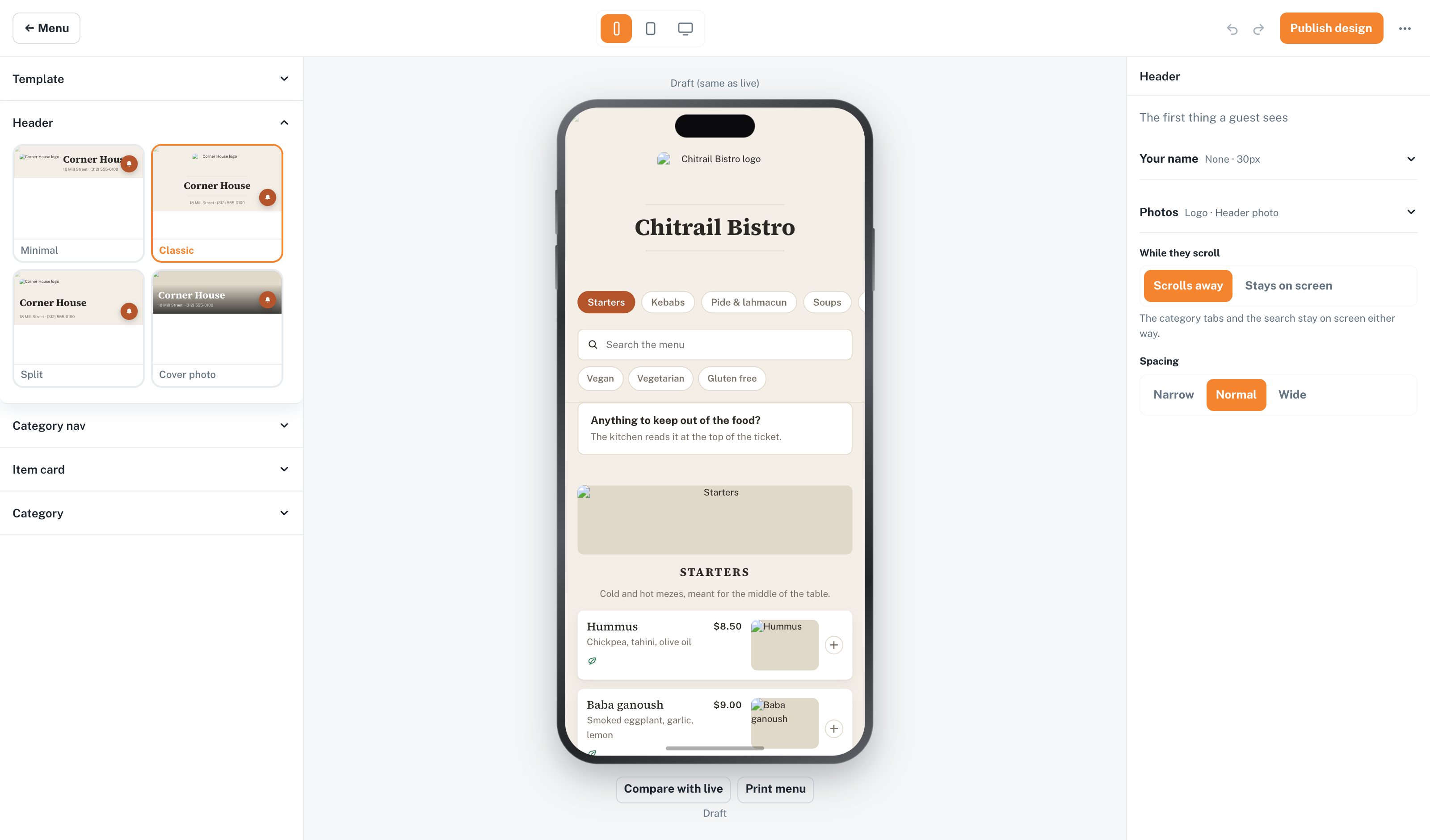
A design tool for the menu guests see
Fourteen templates to start from, then the parts: the header, the category bar, the shape of every dish card, spacing, colours, fonts. The preview beside you is the real thing.
Preview it as a phone, a tablet and a desktop while you work
Your logo, your header photo, your palette
Publish when it looks right; guests keep seeing the old one until then
Print a paper version of the same menu
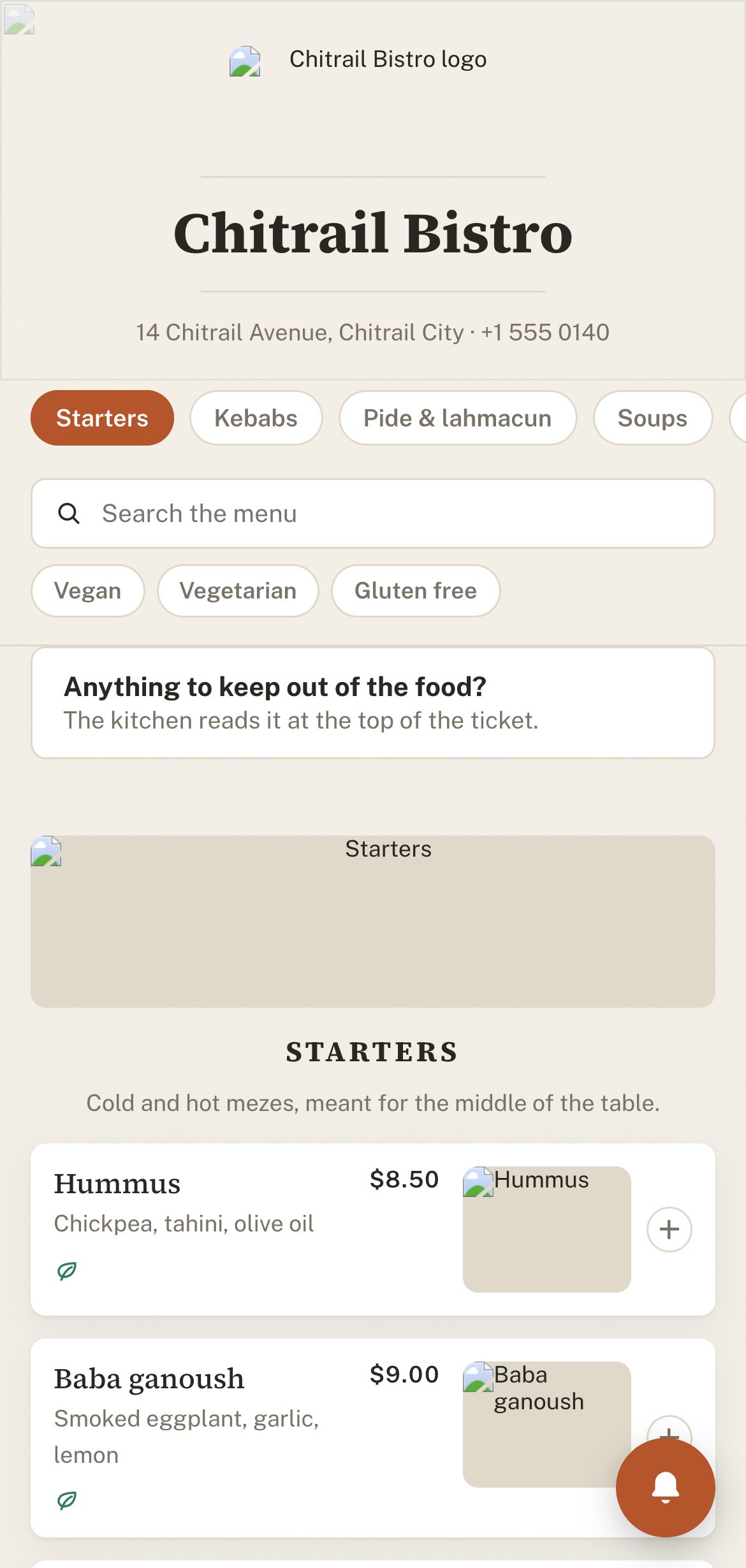
What a guest sees when they scan
A page that opens in about two seconds on the kind of wifi a dining room actually has. It carries your name and your look, and it works on any phone with a camera.
Your name and your look on the page; ours stays off it
Search, category tabs, and filters built from your own tags
Photos, prices and allergen icons on every dish
From the table code, guests order and ask for the check
Guests follow their own order as the kitchen moves it along
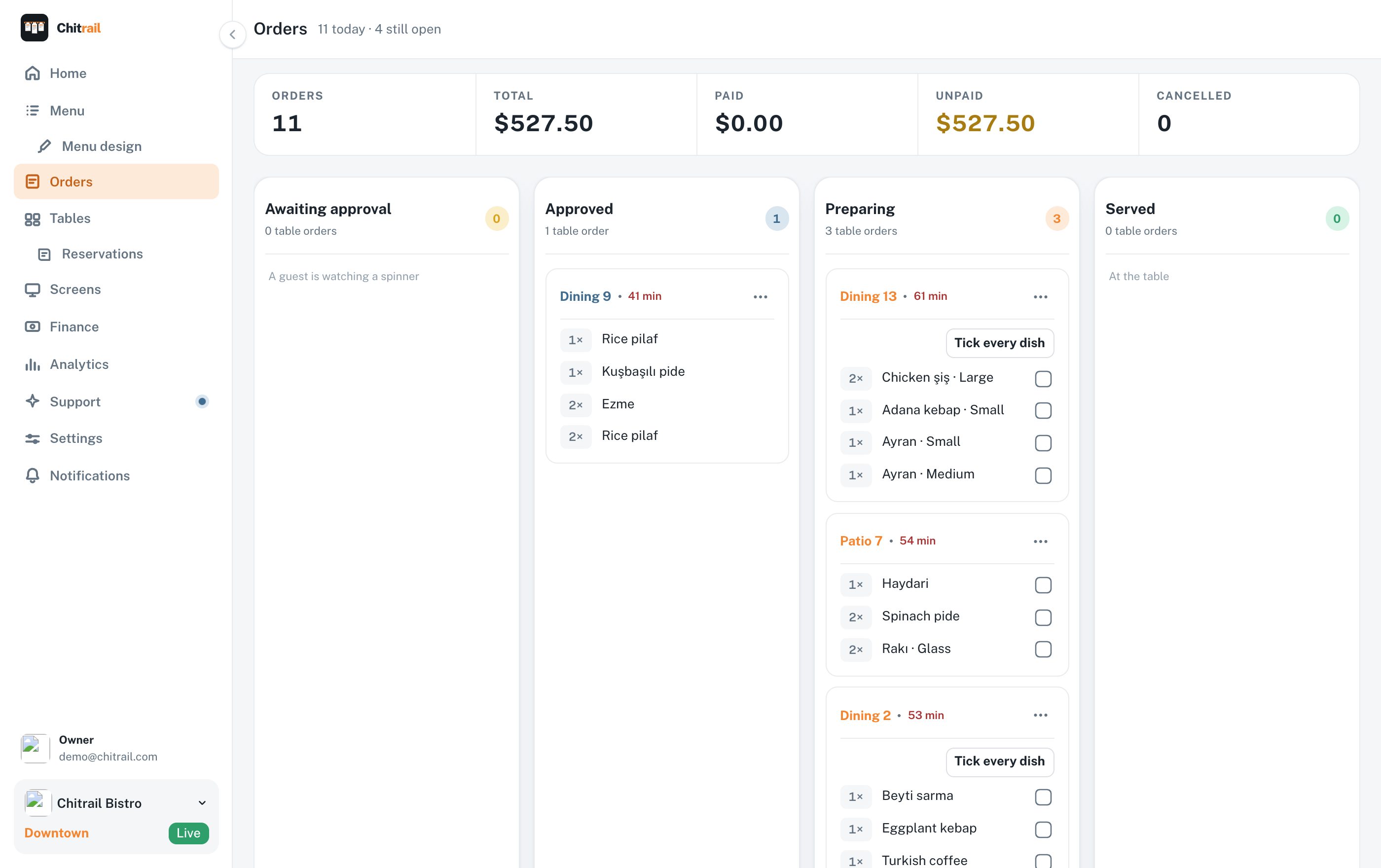
Every order tonight, in the stage it is in
Four columns: awaiting approval, approved, preparing, served. Drag a card across to move it. Calls for a waiter and check requests sit at the top where you cannot miss them.
Waiters write orders here too, on the panel or on their own phone
Table number, dishes, quantities and a note of its own on every dish
Minutes since the order came in, going red past your own limit
Paid and unpaid totals for the day at the top
Cancel a dish that went out of stock and tell the table why
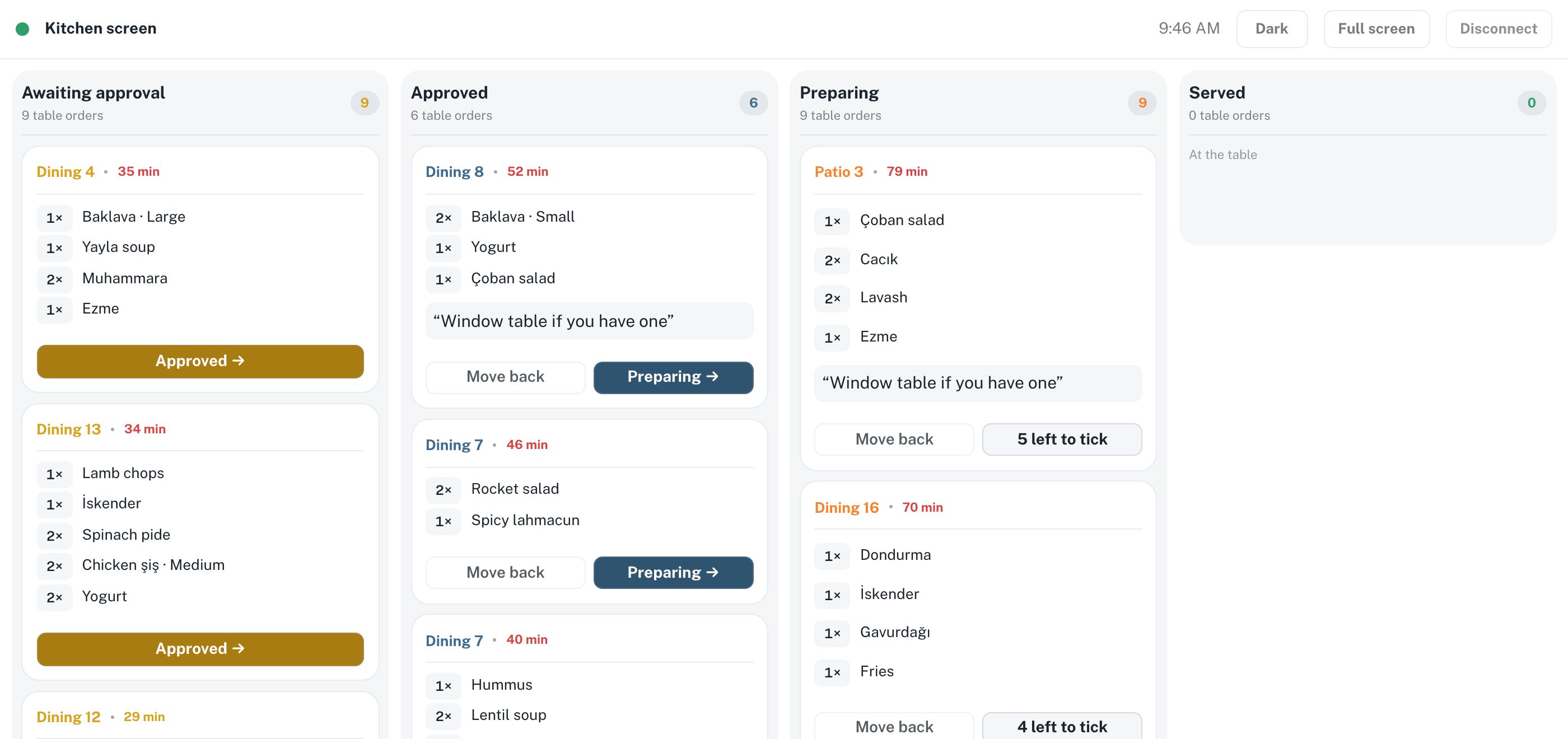
A kitchen screen, on a tablet you already own
Open it in a browser on any tablet or TV and pair it with a code. No sign-in, so nobody in the kitchen holds your password.
Two modes: one for the cooks, one facing the room
Status in colour and in words, readable across a hot kitchen
One big button moves a ticket to the next stage
Screen stays awake, sound on, newest first
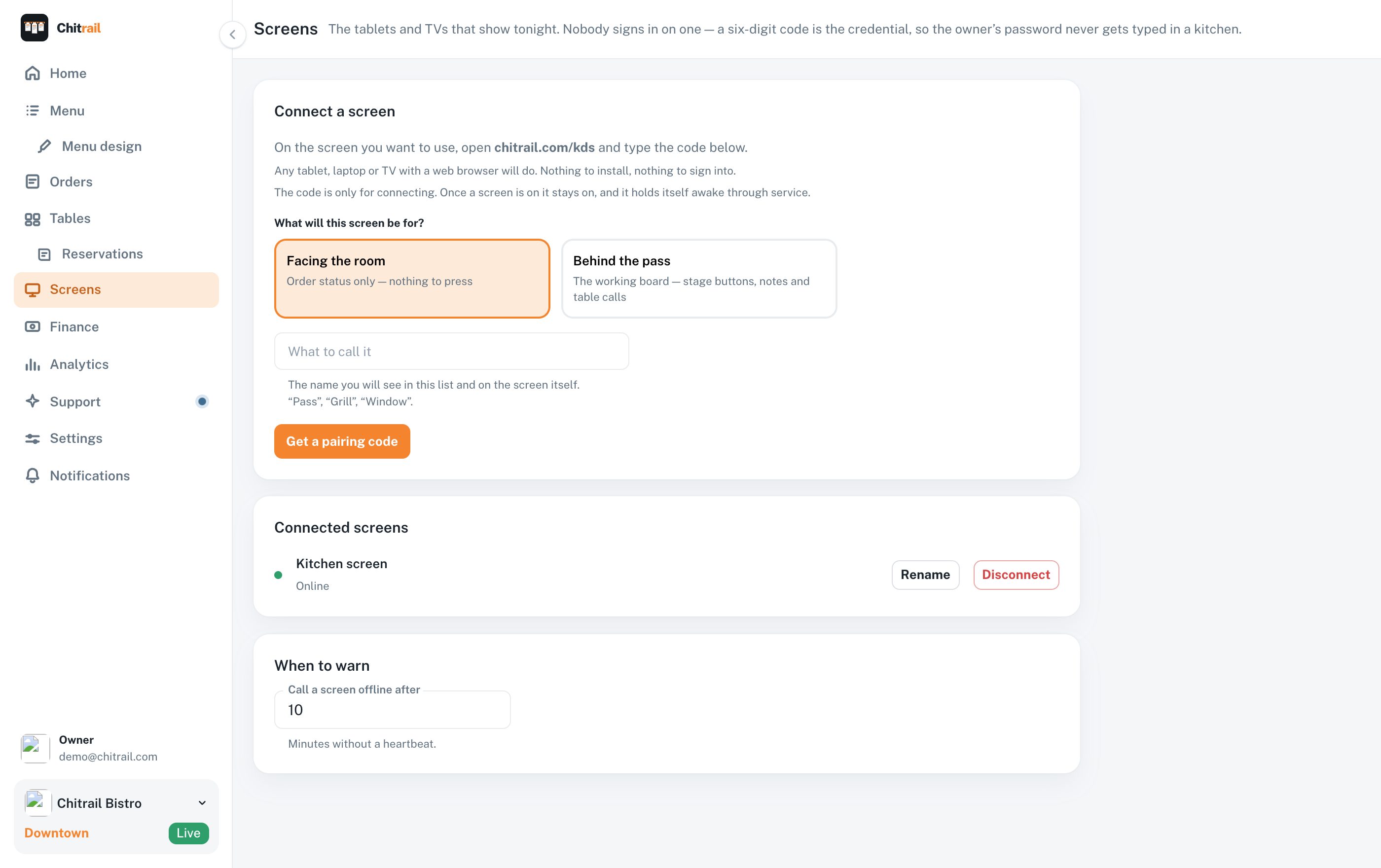
Every tablet and TV in the building, on a six-digit code
Open the address on the screen, type the code, and it starts showing tonight. The code is the credential, so your password never gets typed in a kitchen.
Two kinds: the working board behind the pass, and order status facing the room
Any tablet, laptop or TV with a browser — nothing to install
A screen that stops answering is called out on your home screen
You choose how many quiet minutes count as offline
Disconnect a screen from here the day it leaves the building
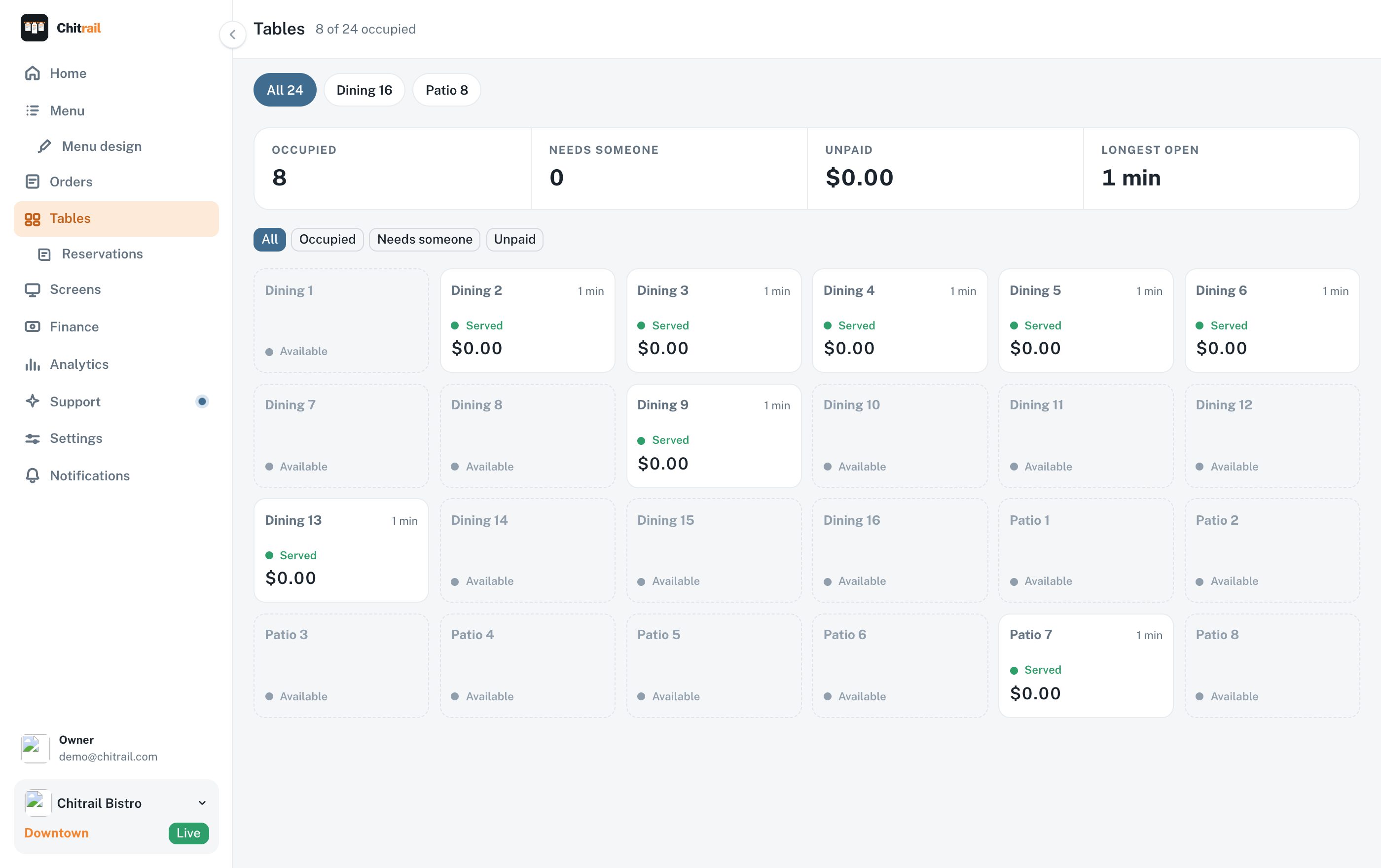
The room at a glance
Every table in the building, in the rooms you group them into. Occupied ones carry what the table owes and how long it has been sitting there.
Tables that need someone are counted at the top
Move a party to another table, or close one out
Split a table so everyone pays for what they ate
Print the check for a table
A QR code per table, ready to print
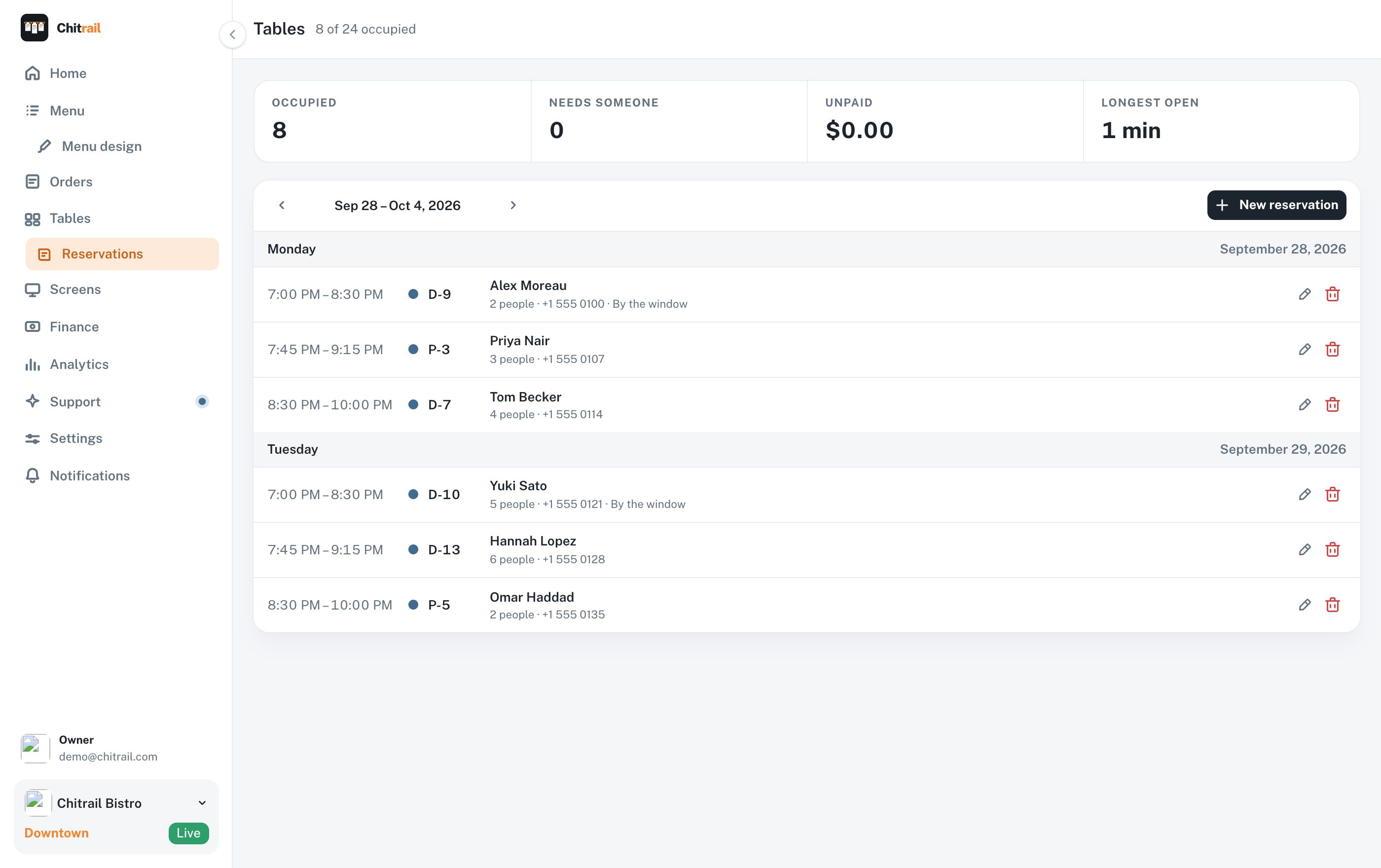
Tonight’s book, on the tables you already have
Take a booking on any table in the room, full or empty. It waits in the week ahead, and half an hour before the party arrives it shows up on the floor beside everything else.
A week at a time, grouped by day, with the phone number on every line
Party size, the table they are on and whatever they asked for
Held on a real table, and a table you are holding is still a table you can seat
Taken by any of your staff, on the panel or on their own phone
No second subscription for it — it is part of Service
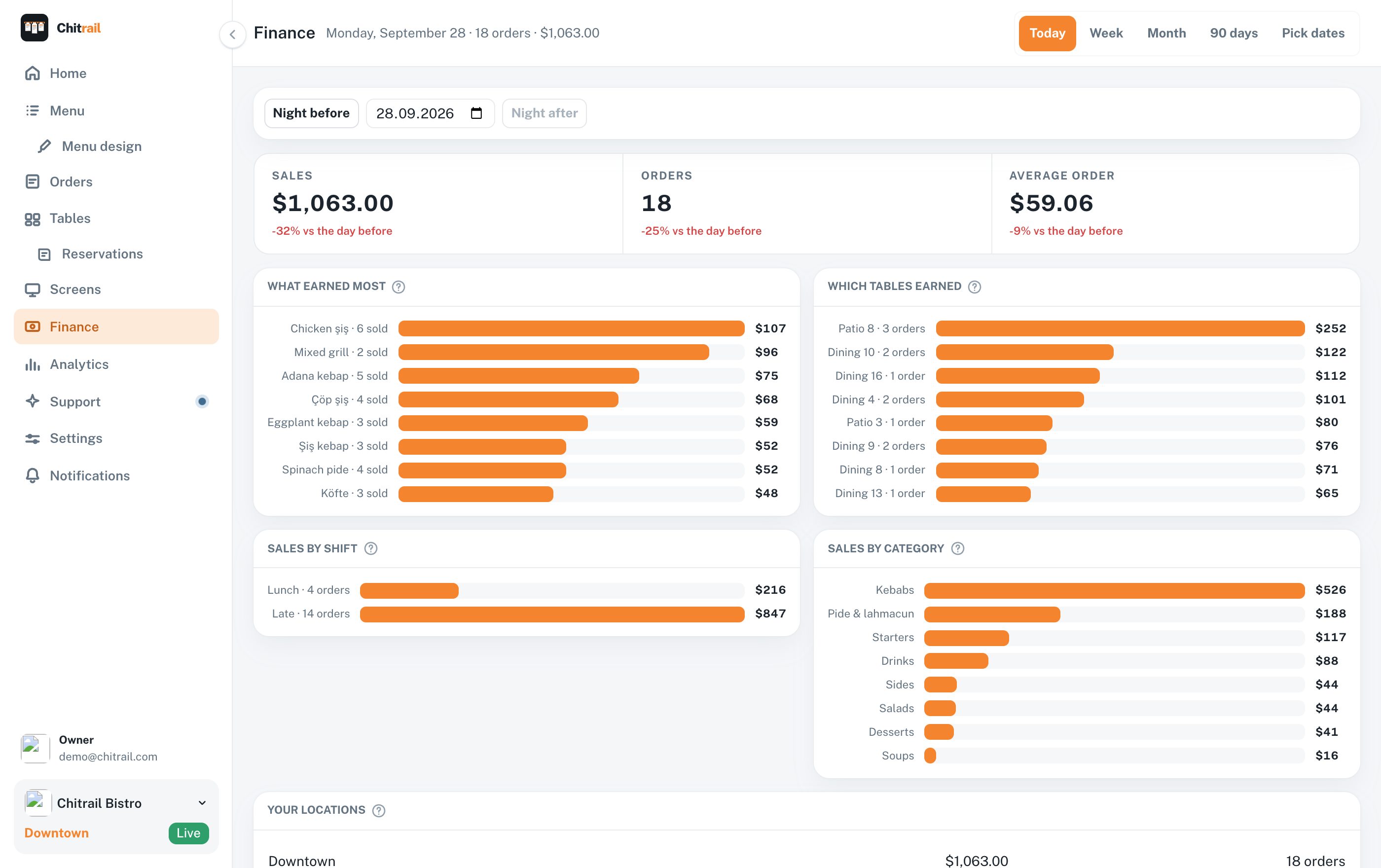
What one night made, on a night you can name
Last night, last week, or a date you pick. Sales, orders and the average order, each against the night before it.
What earned most: every dish, how many sold, what it brought in
Which tables earned, so you know which corner of the room pays
Lunch against late, and every category side by side
Each of your addresses on its own line, and all of them together
Step to the night before or the night after without leaving the page
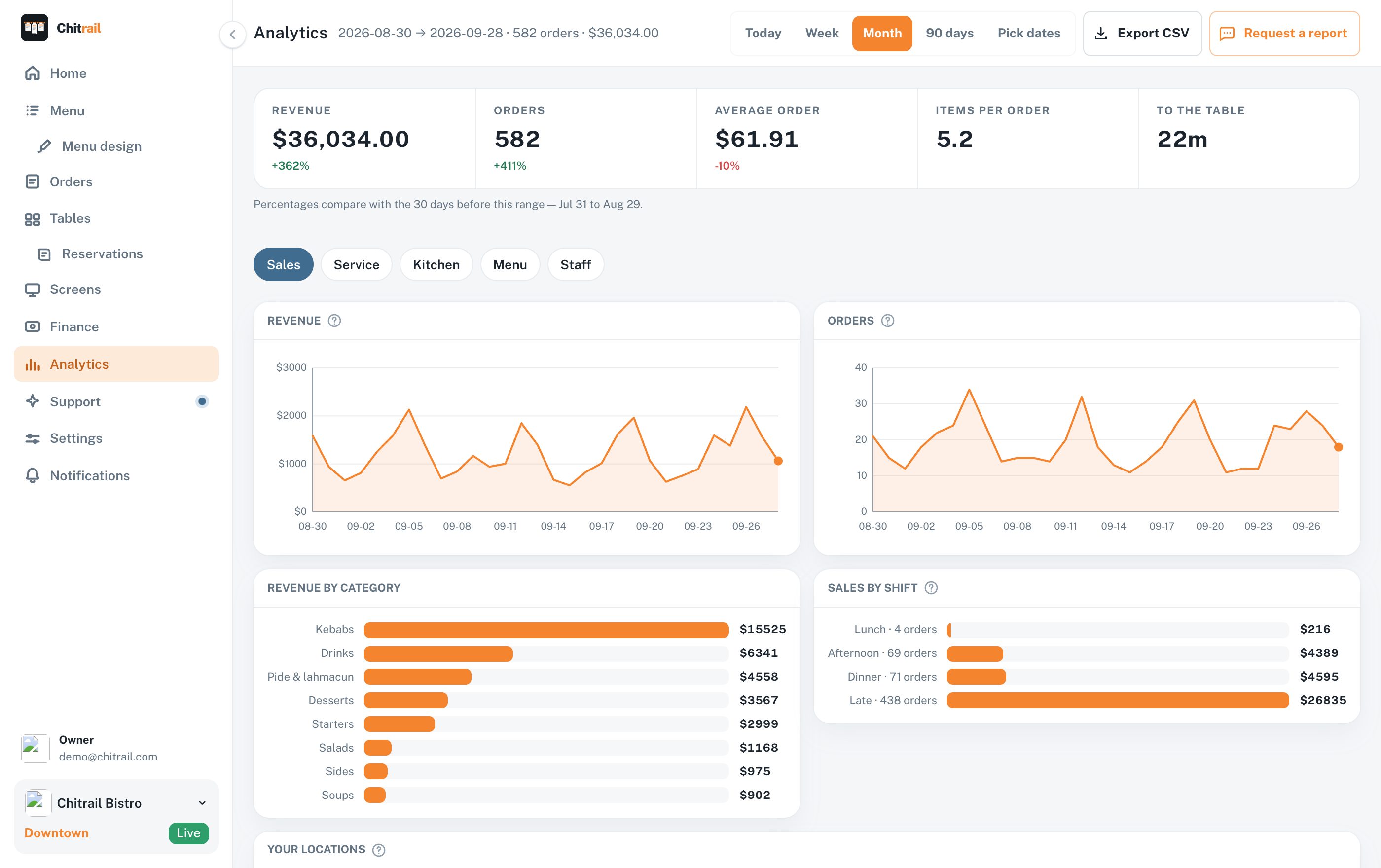
What sold, when, and what it made
Revenue and orders by day, the hours people actually order in, which tables earn, and every dish ranked by what it brought in. Pick any range, or hand the whole thing to your accountant as a CSV.
Revenue and order count as separate lines, because a busy night and an expensive one are different nights
A week-by-hour heatmap of when orders come in
Menu performance: which dishes earn and which just sit there
Busiest tables, ranked by what each one brought in
Each waiter’s night: orders taken, what those tables spent, how long people waited
Revenue by category, and a CSV export of the raw orders
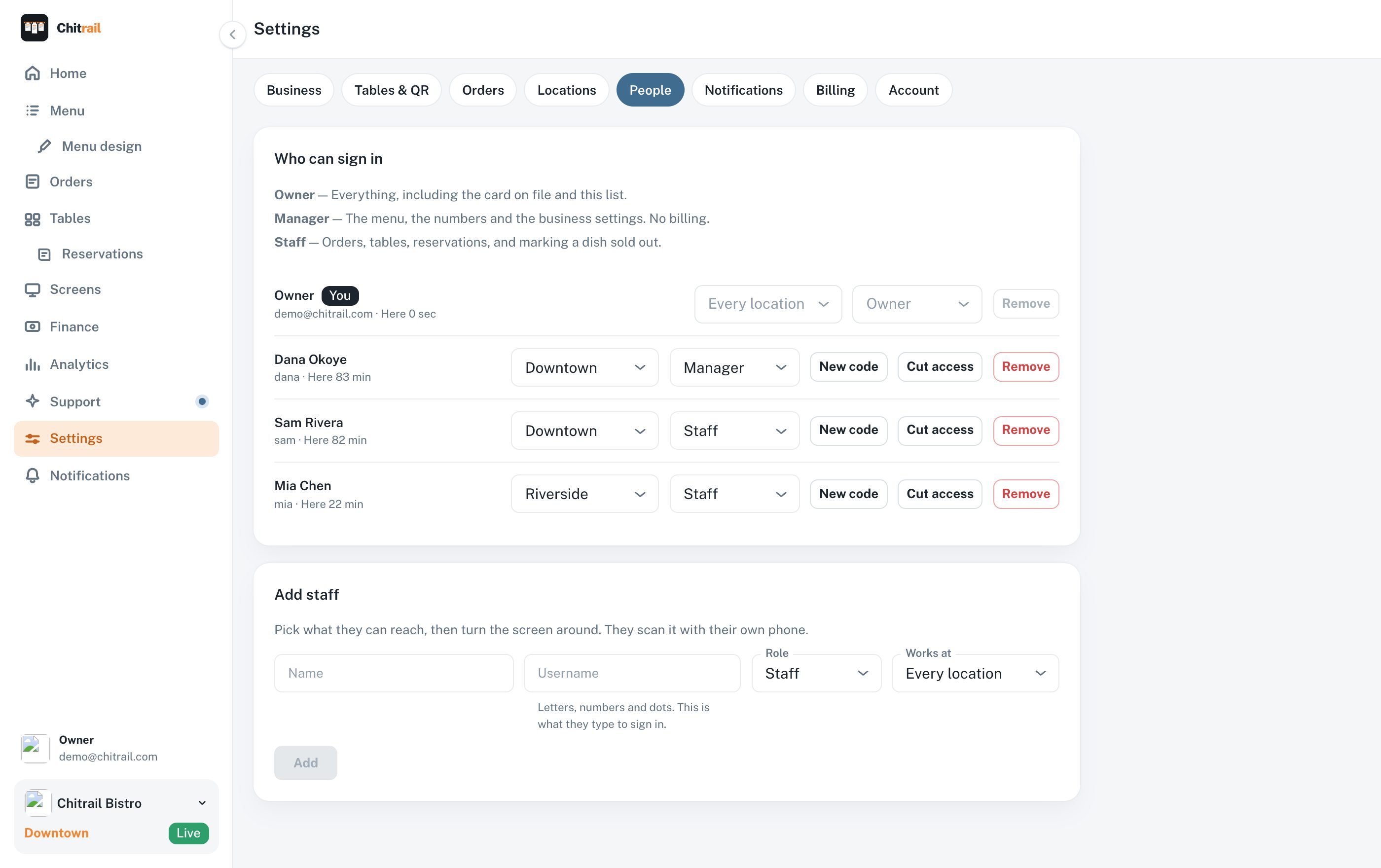
Hire somebody at five, and they are working at six
Type a name, pick what they can reach, and turn the screen around. They scan it with their own phone and they are in — no email address to collect, no password to set, nothing to install.
Three roles: owner, manager and staff, each seeing only what it needs
Hire somebody into one location and that is the room they see
A new code whenever a phone is lost, sold or left behind
Cut access the moment somebody walks out, from the same row
When each of them was last on, beside their name
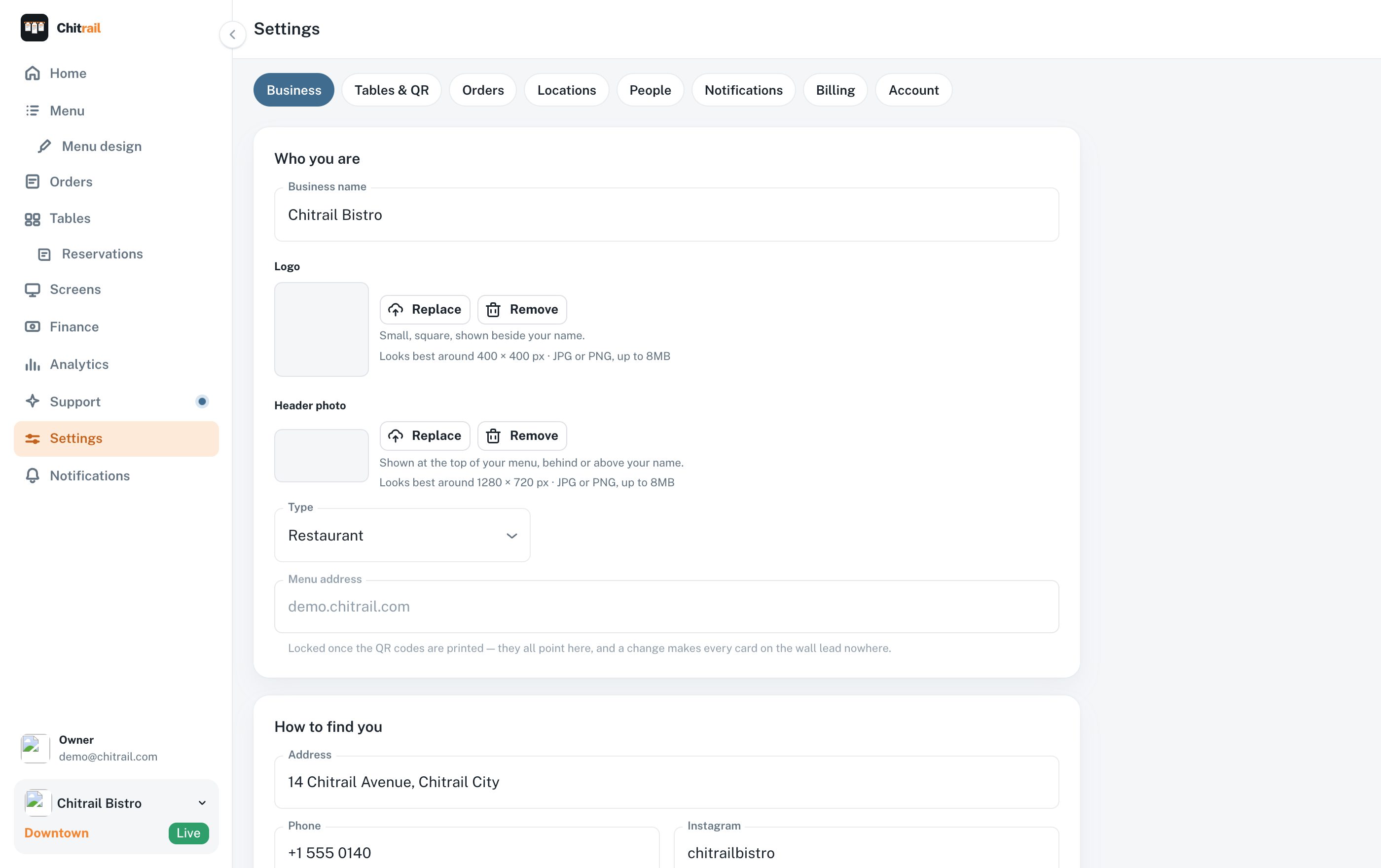
The settings you set once
Your name, address, hours and wifi password. Your tables and the rooms they sit in. The screens you paired. How long a table may wait before the panel goes red.
Table list, room grouping and QR printing
Paired kitchen screens, with the ability to unpair one
Waiting limits that all three screens read from
Your tax rate and your service charge, in your words and your numbers
Your plan, your card and every invoice
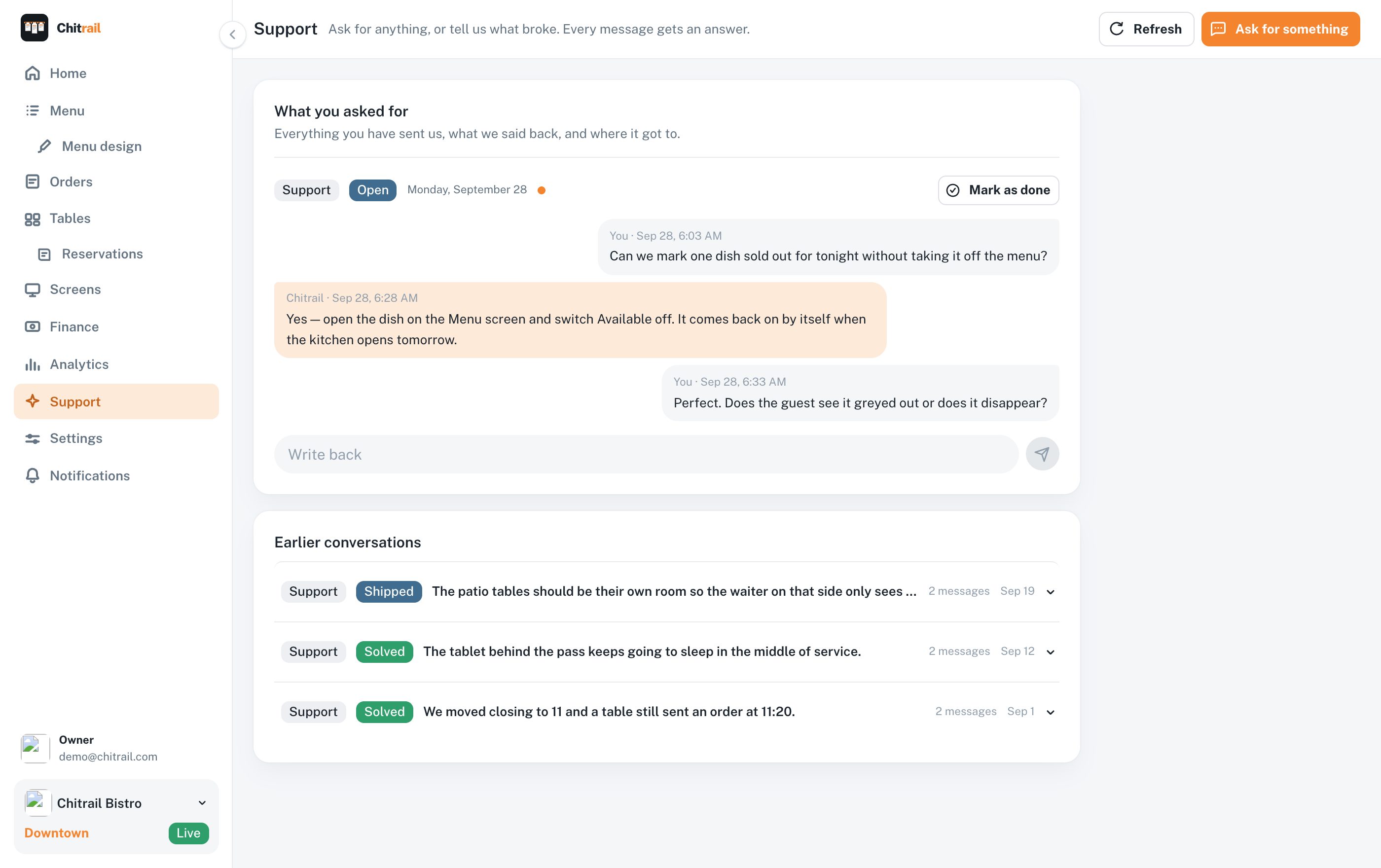
The screen where you ask us for things
Write what you need in your own words. It comes to us, one of us writes back, and the thread stays here carrying where it got to — being built, shipped, solved.
The person writing back wrote the screen you are asking about
Every request carries its own state, so you can see what is coming
Everything you have ever asked, and what we said, in one list
Answered within a business day, the same day on Service
What ships goes to everybody, at the price they already pay
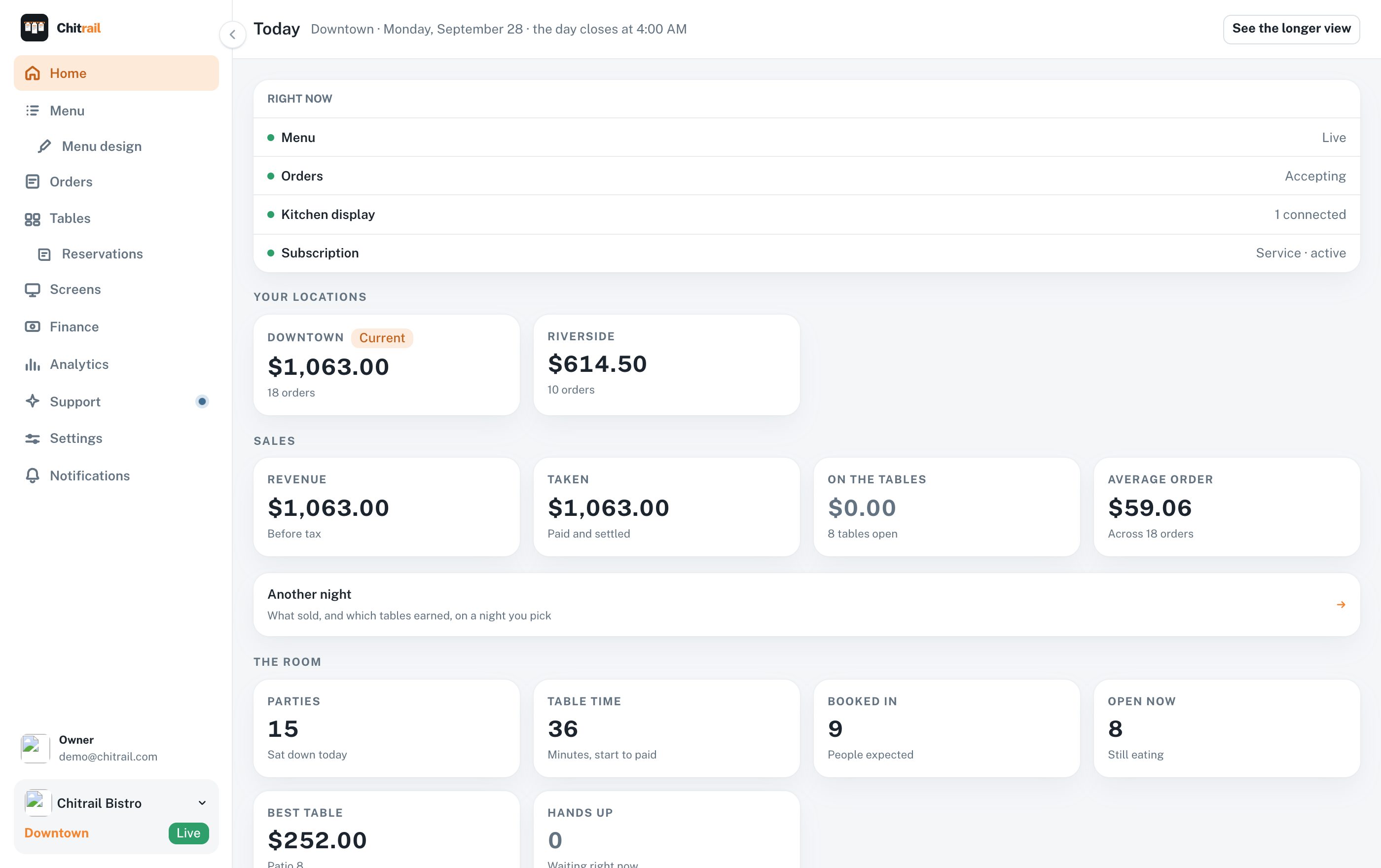
The first thing you open
Where the night stands: orders waiting on you, tables that need someone, what the day has made so far, and whatever the setup still wants from you.
Today’s orders, revenue and open tables
What needs you right now, at the top
A link straight to your live menu
All of this on your phone, bar two
Every screen above follows you onto a phone or a tablet, in the browser or in the app, whichever you like. Two of them stay where they are on purpose: the kitchen display is drawn for a screen on a wall that nobody signs into, and the design tool wants a window wide enough to see what you are drawing.
App Store

Build yours and see it for free
Every screen above is yours to try with your own menu in it. You pay at the moment you publish it for guests.